Download Facebook Reels
Save Facebook Reels in HD or MP4 Formats for Free and Without any Watermarks Online
How to Download Facebook Reels Online?
If you’re looking for a way to download Facebook Reels, GetMyFB.com, a reliable Facebook Reels downloader, should meet your needs. First, we’ll tell you how to retrieve these Reels from Facebook online. You can have them on your PC, iPhone, or Android, whatever you prefer, and in high quality as well; be it 4K, 2K, or even 1080p, all without watermarks!
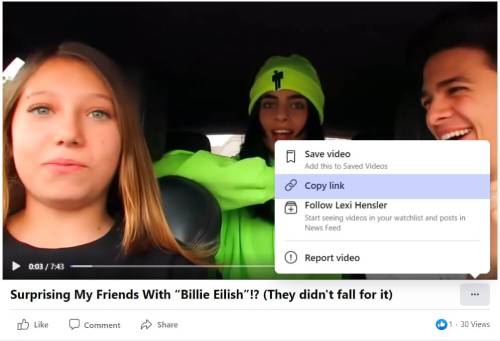
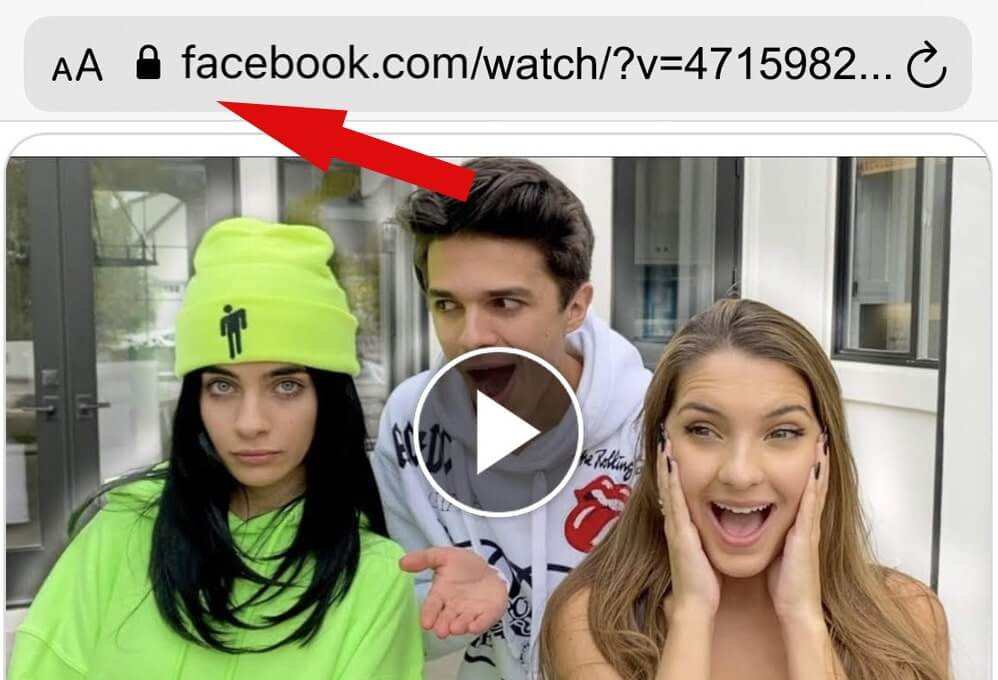
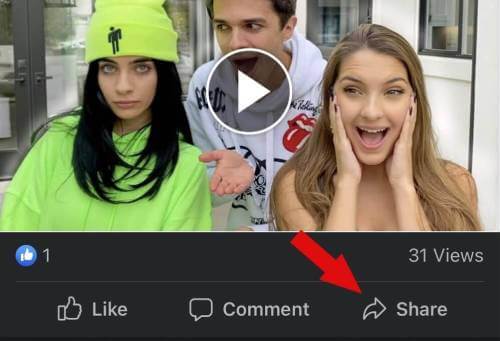
Download Facebook Reels on Mobile
If you want to download Facebook Reels on your mobile device, it can be done very easily with GetMyFB.com.
All you have to do is get the link to the Reel, head to our site, paste it in the box provided, and you can download the file in MP4 format on either Android or iOS.
You don't need to install any other apps, and everything will be completed in seconds.